Support
All support for PySimpleGUI is supplied through the PySimpleGUI GitHub Repository. The link https://Issues.PySimpleGUI.com is a quick way to reach the PySimpleGUI GitHub Issue page.
There are 2 ways to submit issues: 1. Fill out the Issue information on the GitHub website 2. Fill out the Issue information using the built-in GUI which will then post the information to GitHub for you
In 2026 the commercial effort of the project was shut down. It's unclear what the long-term support situation will look like.
What to Supply
In order for "us to help you", we need "you to help us" by providing:
- Information about your environment(OS, etc)
- Version numbers
- A small, working program that we can run easily
- A short description of the problem
- Screenshots if you can or sketches on paper is good too
- OPTIONALLY
- A little about you.... your experience level
(*) - Something about your project
- A little about you.... your experience level
(*) A pleasant surprise is that many users fill in the section of the Issue that says how long you've been programming, programming in Python or have any experience with GUI programming. This enables us to focus in on where the problem may be and to communicate with you using terminology that's appropriate for your experience. If you've been programming for 30 years, you likely know concepts like threads. But if you've been programming for 2 weeks, total, you're very unlikely to know this term.
The net result of this is that we can provide answers tailored to you as an individual.
Finding Version Numbers
The Home Window contains the version numbers you'll need to supply when submitting an issue. If you use the built-in GUI, many of those versions will be filled in for you.
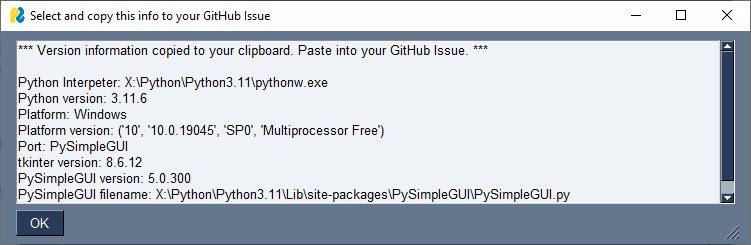
In the "Report a Problem" tab is a "Versions for GitHub" button that both displays version numbers and also copied the information to your clipboard.
Watermarks With Versions
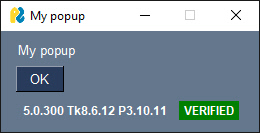
PySimpleGUI 5 has a watermarking feature that can be very helpful in debugging your application as well as supplying information when posting screenshots in your issue. Some developers run multiple versions of Python on their system. It's important to know a number of things about a specific window:
- Version of Python
- Version of PySimpleGUI
- Version of tkinter
You can get all of this information automatically added to your windows by enabling the PySimpleGUI 5 watermarks.
There are 2 ways to do this:
- Use the commands
psgwatermarkoffandpsgwatermarkon - Use the checkbox in the Global Settings (accessible from
psgsettingscommand or via the Home Window
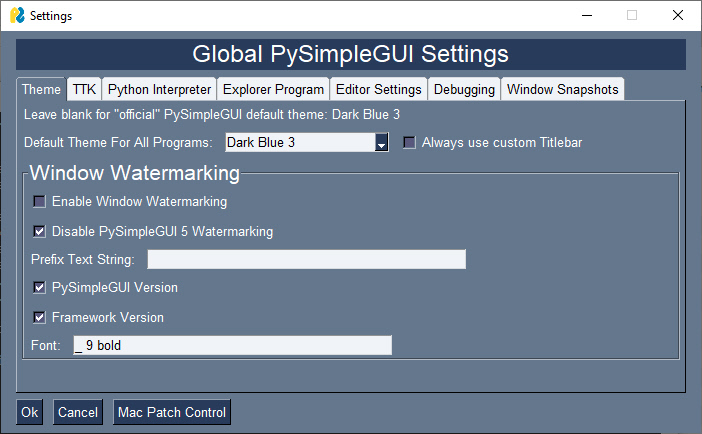
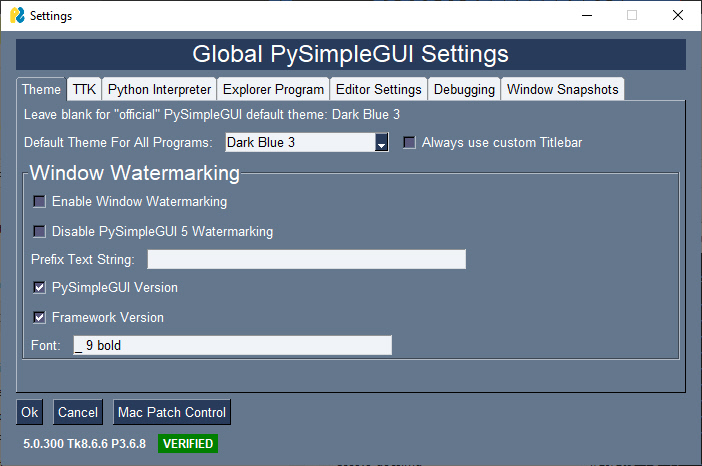
Once the watermark is enabled, all of your windows, including popups, will have the version numbers and an indicator showing if your PySimpleGUI file is secure (not modified)